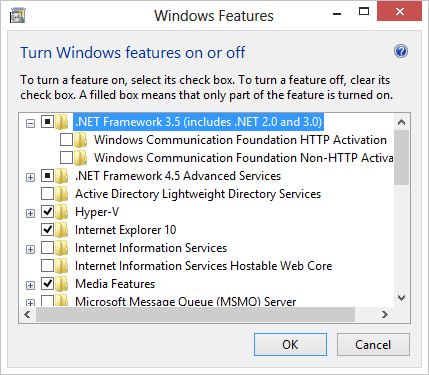
Interesting instance came up at work a few months ago, and then again today, and boy am I glad I wrote down the fix. I remember the last time this happened, I could not find the exact error code fix online for some time. It threw an error code something to the affect of 0x8000 (of course I can’t find my screenshot!) There are several versions of that error code, and quite a few (with their fixes) are listed on a Microsoft article here.
Typically speaking, you would just be able to activate .NET 3.5 through control panel> programs> programs and features > turn windows features on or off. Simply check the box next to .NET and have it search automatically online for the updates. However this was where I ran into the issue, it would not auto install as it should. After thorough digging, it was found that WSUS was interfering with this. Here is the fix for that, open up a run command and go to regedit. Navigate to HKEY_LOCAL_MACHINE\SOFTWARE\Policies\Microsoft\Windows\WindowsUpdate\AU change the registry key “UseWUServer” to 0. This will temporarily bypass WSUS. You will need to have administrative privileges for this to work.
Exit the Registry and restart the Windows Update Service in task manager, or reboot. Go back into the control panel and install the 3.5 .NET framework. Once it has been installed, go back to the same registry key and change the value back to one, and once again, restart the Windows update services within task manager. And voila! Success! Pat yourself on the back and grab a coffee! 🙂


